Introduction to Python Programming: A Beginner’s Guide
Mastering Python: A Comprehensive Guide for Beginners and Beyond
I believe the best way to master a concept is to explain it to someone else. I’m a Full Stack Developer navigating the ecosystems of JavaScript and Python, building everything from responsive frontends to robust backends. I use this space to document my learning journey, break down complex topics, and share practical solutions to the bugs I encounter. Let's learn in public together!
Introduction to Python
Python is one of the most popular programming languages today, known for its simplicity, readability, and versatility. Whether you're a beginner or an experienced developer, Python has something to offer for everyone. In this blog, we'll walk through the foundational concepts of Python to help you get started with confidence.
Python is a high-level, interpreted programming language developed by Guido van Rossum and released in 1991. It emphasizes code readability and supports multiple programming paradigms, including procedural, object-oriented, and functional programming.
Key features of Python:
Simple and easy-to-learn syntax
Large standard library
Community support and extensive third-party modules
Cross-platform compatibility
Installing python
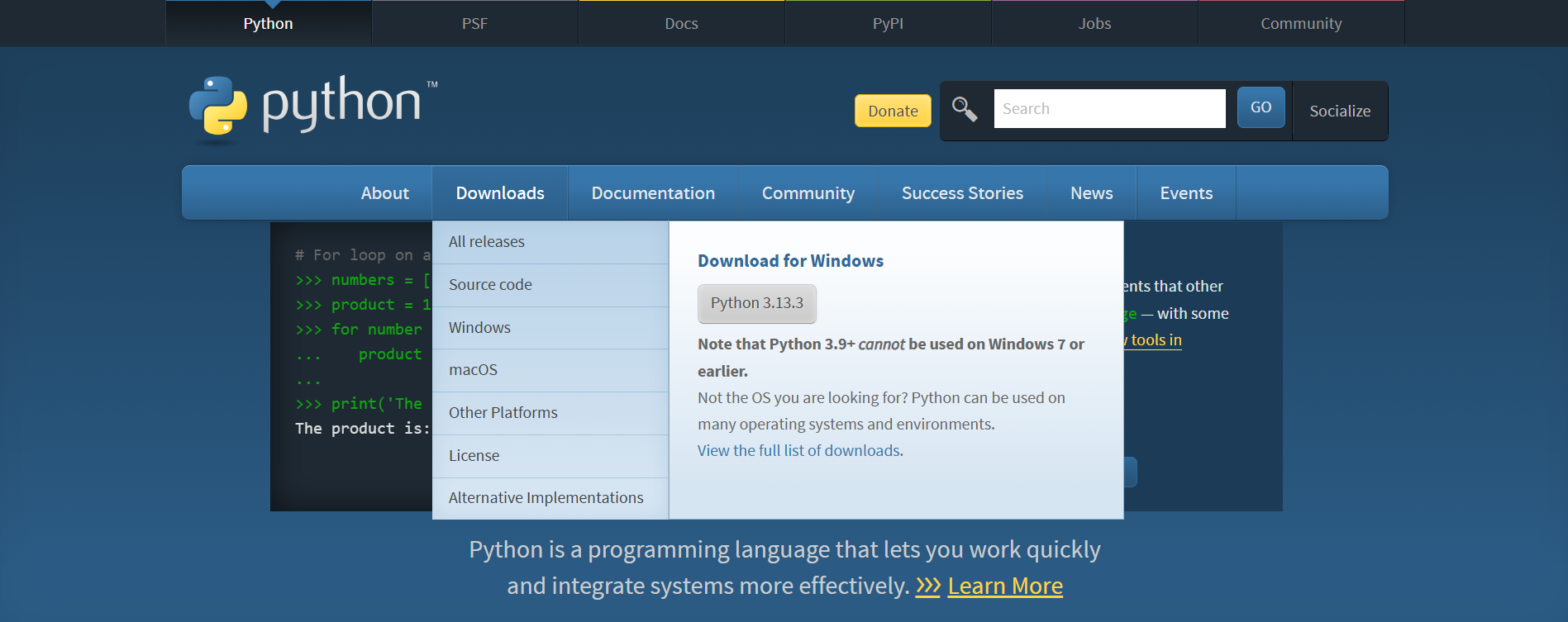
Before deep diving into Python, you should install it on your local machine. You can visit the official Python website and install the most suitable version for your operating system (macOS, Windows, or Linux).
Python basics
Writing and running a simple python program
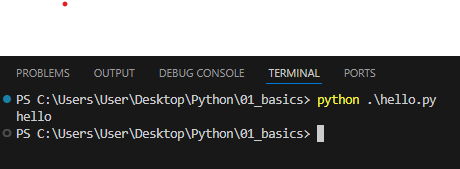
Let’s start the Python journey by writing a small program to print "Hello World". Open your VS Code or any other code editor or IDE, create a file and save it with a .py extension. Then write the following code:
print("hello world")
To run this file, open your integrated terminal in VS Code (Git Bash recommended), and type python <filename>
Variables and Data Types in Python
In Python, variables are like containers that store data. They can store various types of information such as numbers, text, and more.
Essential data types:
Integer (
int): Represents whole numbersFloat (
float): Represents decimal numbersString (
str): Represents text, enclosed in either single or double quotes, e.g.,'Hello', "Python"Boolean (bool): Represents a value with true or false
#declaring variables
age = 25
pi = 3.14
name = 'Alice'
isLoggedIn = true
Operators in Python
Python provides several types of operators to perform operations on variables and values.
Arithmetic Operators
x = 10
y = 5

sum_result = x + y       # 15
difference = x - y       # 5
product = x * y          # 50
quotient = x / y         # 2.0
Comparison Operators
is_equal = x == y        # False
is_greater = x > y       # True
Logical Operators
logical_and = (x > 0) and (y < 10)   # True
logical_or = (x > 0) or (y > 10)     # True
logical_not = not(x > 0)             # False
Control Flow in Python
Conditional Statements (if-else)
Conditional statements allow your program to make decisions based on certain conditions.
# Example 1: Simple if-else statement
age = 20

if age >= 18:
    print("You are eligible to get your license")
else:
    print("You are not eligible to get a license")
In this example, if the condition age >= 18 evaluates to True, the first block of code (indented under if) will be executed. Otherwise, the block of code under else will be executed.
- Chained condition with elif
You can chain multiple conditions using elif
rank = 657

if rank <= 100:
    print("You can take admission in IIT")
elif rank <= 750:
    print("You can take admission in NIT")
elif rank <= 1000:
    print("You can take admission in any IIIT")
else:
    print("Take admission in private college")
Here, the program checks multiple conditions one after another. If the first condition is not met, it moves to the next elif statement. If none of the conditions are met, the code under else is executed.
Loops in python
Loops are fundamental for executing a block of code repeatedly.
For Loop Example
# Example 1: Iterating over a list
companies = ["apple", "amazon", "meta"]
for company in companies:
    print(company)

# Example 2: Using range() for a specified number of iterations
for i in range(5):
    print(i)  # Output: 0 1 2 3 4
This loop uses range(5) to iterate from 0 to 4, printing each number.
While Loop Example
# Example: Countdown using a while loop
count = 5

while count > 0:
    print(count)
    count -= 1
This while loop counts down from 5 to 1.
Choosing Between for and while Loops
Use a for loop when:
You know the number of iterations in advance.
You're iterating over a sequence, like a list or a range of numbers.
You want to iterate through a collection or perform a specific action a fixed number of times.
# example
for i in range(5):
    print(i)
Use a while loop when:
You don't know the number of iterations in advance or want to loop until a specific condition is met.
The condition for terminating the loop may change during runtime.
count = 5
while count > 0:
    print(count)
    count -= 1
Remember, while loops rely on a condition to stop execution, which means they can potentially run indefinitely if the condition is not met. Always ensure there's a mechanism to break out of a while loop.
Loops provide a powerful mechanism for automating repetitive tasks in your programs.


